How To Check Generator Hour Meter Safely
Monitoring your engine runtime protects vital components. Accurate logs prevent premature mechanical failures.

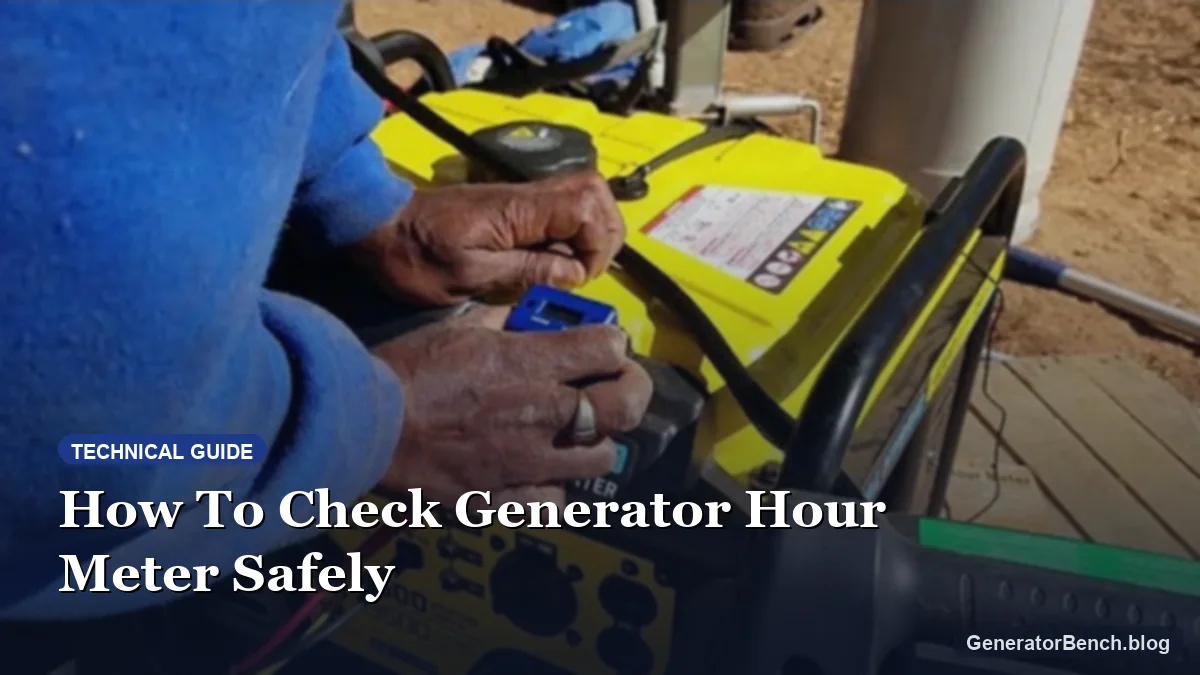
Always consult your specific equipment manual for display sequences. Regular meter checks ensure timely oil changes and filter replacements.
Looking for matching picks? See our Best Watt Meter For Generator.
Practical Quick-Reference Table
| Scenario / Metric | Recommended Target | Why It Matters |
|---|---|---|
| Portable Frame Unit | LCD Toggle Button | Cycles through voltage, frequency, and total hours. |
| Inverter Generator | Digital Multi-Display | Shows cumulative run-time alongside instant output. |
| Standby System | Controller Menu | Accesses electronic logs via microprocessor interface. |
| Mechanical Hour Meter | Analog Rotating Drum | Relies on oil pressure or ignition pulses to spin. |
| Oil Change Interval | Every 100 Hours | Prevents premature engine wear and bearing failure. |
| Spark Plug Service | Every 300 Hours | Ensures optimal ignition efficiency and smooth idling. |
Understanding Your Generator Hour Meter Mechanics
Generator hour meters track total engine runtime to guide routine maintenance. Mechanical and digital versions measure operational hours differently across various equipment brands.
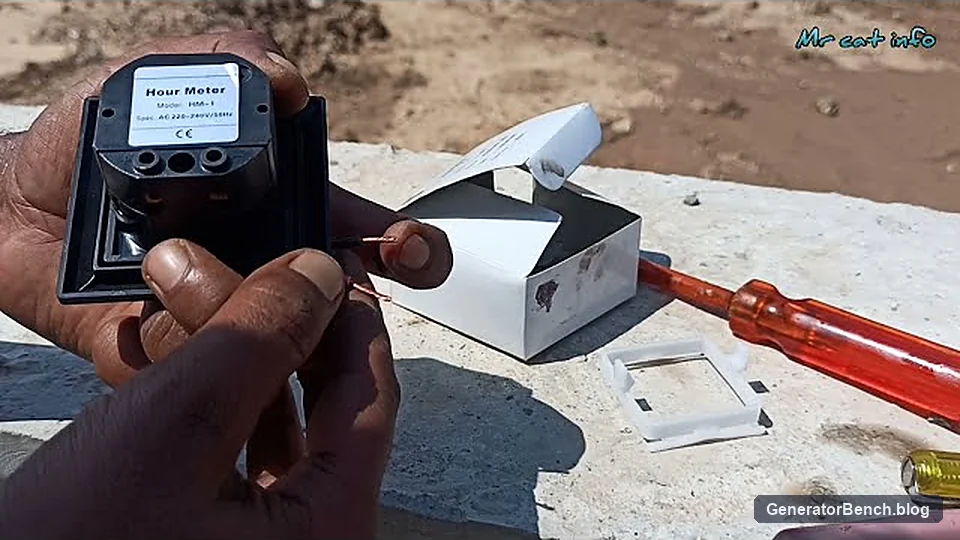
Analog meters use tiny internal electric motors connected to ignition circuits. They slowly spin number drums whenever the alternator generates active electrical current.
Modern digital gauges rely on solid-state microprocessors powered by small internal batteries. These screens illuminate when vibration sensors or engine pulses detect active running states.
Knowing your specific meter type dictates how you access data. Portable frames require physical button presses, whereas digital inverters display runtime continuously on LCD screens.
- Identify whether your unit uses an analog or digital display.
- Check connection wiring if the runtime numbers fail to advance.
- Record baseline hours immediately after unboxing new portable generators.
- Understand that vibration triggers some modern solid-state hour meters.
Differentiating Mechanical and Digital Tracking Systems
Mechanical counters spin continuously while energized by alternating current. They cannot be reset and offer permanent lifetime tracking.
Digital modules often feature resettable trip timers alongside lifetime totals. Dual-function displays help technicians track specific maintenance intervals easily.
- Inspect analog glass covers for moisture or fogging.
- Test digital battery voltages if the screen remains completely dark.
Locating the Display Panel on Portable Units
Finding the hour meter on traditional frame-mounted portable generators requires inspecting control panels. Manufacturers usually place these gauges near circuit breakers or receptacles.
Look closely around the main control fascia where digital readout screens are housed. Data center panels consolidate runtime metrics alongside voltage and frequency readings.
Older contractor models might feature small rectangular analog counters embedded in metal housings. These counters sit near the engine block or close to starter switches.
Always wipe away accumulated dust or fuel residue before reading screens. Clear visibility prevents misinterpreting fractional digits during routine equipment inspections.
- Scan the primary control panel housing standard power outlets.
- Inspect lower frame corners on older contractor-grade generators.
- Clean dirty plastic lenses with a dry microfiber cloth.
- Use a flashlight to illuminate recessed analog numeric drums.
Navigating Multifunction Digital Control Panels
Many modern portable units utilize single digital screens displaying multiple metrics. Pressing a rubberized select button scrolls through voltage, hertz, and hours.
Hold the button down for three seconds if your model supports resetting trip hours. Lifetime runtime totals remain safely locked in permanent memory.
- Press the display toggle button to cycle through parameters.
- Look for the hourglass icon indicating total running hours.
Video Walkthrough: How to check your Cat® genset running hours
Inspecting Digital Inverter Display Interfaces
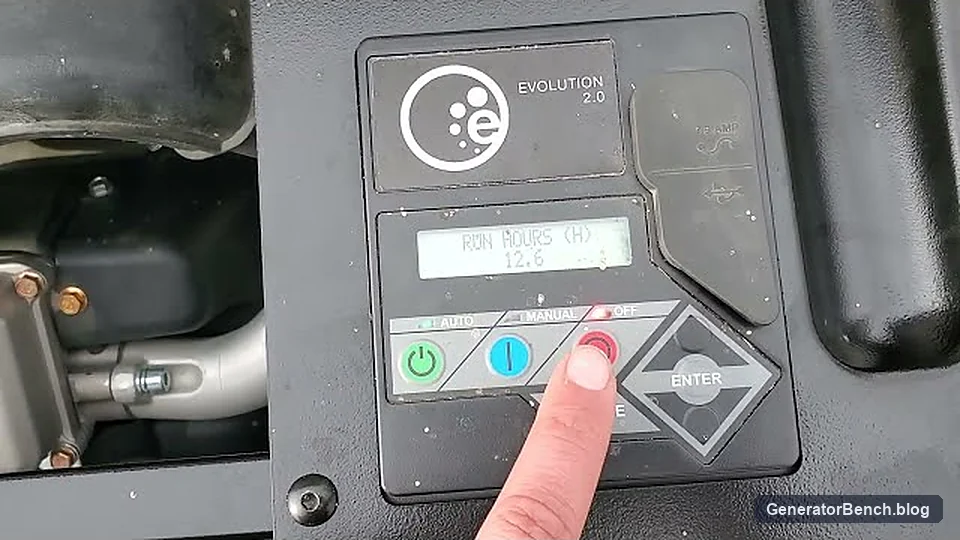
Inverter generators integrate advanced digital dashboards to monitor complex inverter modules. These backlit liquid crystal displays show precise engine operating parameters clearly.
Locate the primary LED or LCD screen centered on the front fascia. Backlit digital panels remain easy to read in dark emergency outage conditions.
Some premium inverter models transmit runtime data directly to companion mobile apps. Before buying, use our wattage sizing calculator to determine your exact electrical power requirements.
Ensure the generator is running or in accessory mode to illuminate screens. Inverters often power down displays entirely when engines sit completely idle.
- Check front-facing control panels for integrated LED display strips.
- Activate accessory power switches to illuminate digital meter screens.
- Pair compatible mobile applications for remote equipment monitoring.
- Verify backup coin-cell battery levels inside advanced inverter dashboards.
Interpreting Error Codes Alongside Runtime Hours
Advanced inverter dashboards often flash diagnostic codes right beside hour totals. Cross-reference these alphanumeric codes with your manual during service checks.
A blinking maintenance symbol usually indicates an upcoming oil change requirement. Scheduled service reminders flash for several hours before locking out.
- Note any flashing service icons near the hour digits.
- Consult manual troubleshooting charts for specific maintenance codes.
Reading Standby and Home Backup Panels
Automatic standby generators feature sophisticated electronic controllers mounted behind locking enclosures. These microprocessor units manage automatic transfer switches and monitor system health.
Open the exterior cabinet door to access the main control board. Digital controller displays present comprehensive diagnostic menus including total accumulated runtime.
Use the keypad arrows to navigate through the LCD system status menu. Scroll downward until the screen highlights total engine run hours and exercise cycles.
Standby units differentiate between exercise hours and actual outage runtime. Recording both metrics ensures accurate tracking of total mechanical wear over time.
- Unlock and open the exterior weather-resistant generator enclosure.
- Press the menu button on the microprocessor control board.
- Scroll through operational logs to find cumulative engine hours.
- Differentiate between weekly exercise cycles and emergency runtime.
Accessing Maintenance Logs via Controller Software
Permanent home standby systems store extensive operational event logs internally. Technicians access these historical records using specialized diagnostic software interfaces.
Reviewing fault histories helps diagnose intermittent mechanical or electrical issues. System log review provides complete clarity on generator performance history.
- Check controller sub-menus for historical event logs.
- Record recent fault codes alongside current hour readings.
Interpreting Fractional Hours and Service Intervals
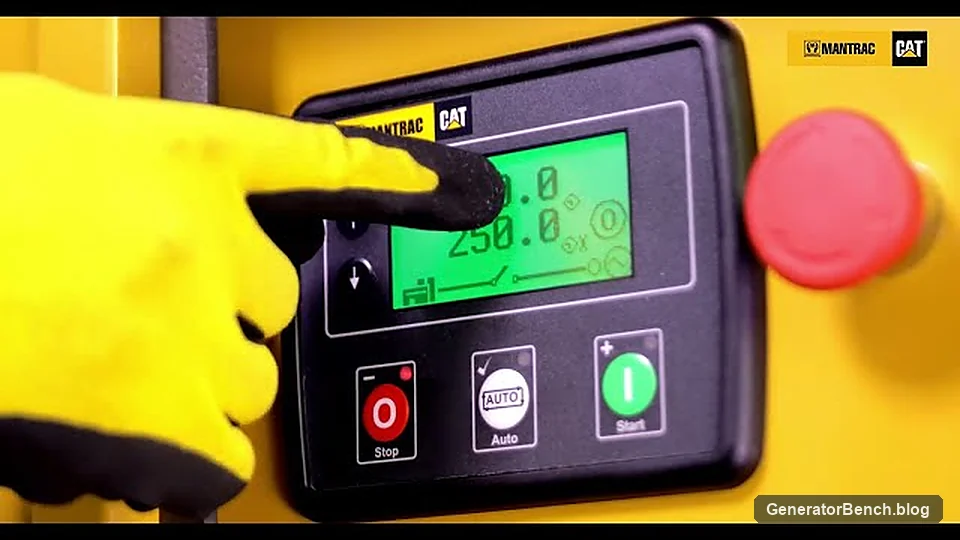
Hour meters typically display numbers with a decimal point or distinct color wheel. The final digit after the decimal represents tenths of an hour, equaling six minutes.
Understanding decimal increments helps calculate precise maintenance schedules accurately. Tenth-hour tracking ensures you never miss critical filter or fluid changes.
For example, a reading of forty-five point six means forty-five hours and thirty-six minutes. Recognizing this format prevents premature or delayed mechanical servicing.
Always round your written maintenance logs to the nearest whole hour. Consistency in recording practices simplifies long-term generator fleet or household management.
- Treat numbers after decimal points as six-minute increments.
- Calculate service intervals using exact tenth-hour measurements.
- Round maintenance log entries consistently for clarity.
- Verify fluid change thresholds against manufacturer guidelines.
Calculating Cumulative Service Due Dates
Subtract your last recorded maintenance hour from the current meter reading. This simple calculation reveals exact operating hours accumulated since the service.
Keep a dedicated notebook near your generator storage area. Manual logging habits protect equipment even if digital displays fail unexpectedly.
- Subtract previous service totals from current meter readings.
- Update physical service tags attached to the generator frame.
Troubleshooting Unresponsive or Blank LCD Screens
Blank digital hour meters can stem from dead internal coin batteries or blown fuses. Inspect nearby fuse holders and wiring harnesses for obvious physical damage.
Some hour meters require active alternator voltage to power the display. Start the engine and let it run for one minute to check for power restoration.
Corroded wiring terminals frequently disrupt communication between sensors and digital panels. Clean all ground connections and plug terminals with electrical contact cleaner.
Replace faulty aftermarket hour meters if internal circuitry fails permanently. Inexpensive replacement modules install easily onto standard portable generator control panels.
- Inspect inline fuses protecting electronic meter circuits.
- Verify that engine vibration activates piezoelectric sensor meters.
- Clean corroded spade terminals with fine wire brushes.
- Test internal button-cell batteries inside digital modules.
Testing Hour Meter Circuitry with Multimeters
Set your digital multimeter to measure direct current or alternating voltage. Probe the meter input terminals while the generator operates under load.
Confirm that voltage matches specifications listed in your service manual. Voltage verification isolates whether the failure lies within wiring or meters.
- Configure multimeters for appropriate voltage measurements.
- Test input leads directly behind the hour meter housing.
Recording Maintenance Logs and Runtime Metrics
Maintaining accurate physical records complements digital hour meter tracking systems. Create a dedicated maintenance ledger detailing every oil change and spark plug replacement.
Note the exact date, total operating hours, and specific replacement parts used. Detailed service records significantly boost resale value and equipment longevity.
Store your maintenance log inside a waterproof pouch near the generator. Quick access encourages consistent documentation during chaotic emergency storm outages.
Combine digital meter checks with pre-start safety inspections routinely. Building this habit guarantees reliable backup power performance whenever emergencies occur.
- Establish a physical paper logbook stored near equipment.
- Record dates, running hours, and part numbers during service.
- Incorporate meter readings into pre-start inspection routines.
- Protect paper records inside waterproof document sleeves.
Digital Backup Methods for Equipment Fleet Tracking
Spreadsheet applications or specialized equipment tracking apps offer modern recordkeeping solutions. Sync your recorded generator hours into cloud storage for permanent safekeeping.
Cloud tracking prevents lost paper notebooks during property relocations. Digital fleet logging streamlines maintenance tracking across multiple property assets.
- Input runtime metrics into cloud-based spreadsheet tools.
- Set calendar reminders for upcoming maintenance hour thresholds.
Frequently Asked Questions
Can I reset my generator hour meter?
Lifetime hour meters cannot be reset due to legal and warranty tracking requirements. Trip meters on advanced digital panels can be cleared by holding select buttons.
Why is my digital hour meter screen blank?
Blank screens typically indicate dead internal batteries or blown control fuses. Check input wiring connections and verify that the alternator generates proper voltage output.
What do decimals on hour meters represent?
Decimals represent tenths of an hour, which equals exactly six minutes of runtime. Use these fractions to calculate precise oil change and maintenance service schedules.
How often should I check my generator hours?
Inspect your hour meter before and after every extended emergency outage period. Routine monitoring ensures you perform timely oil changes and preventative maintenance.
Do hour meters run when the engine is off?
Standard hour meters only advance when engines actively run or vibrate. Mechanical meters require electrical current or oil pressure to turn number drums.